Run NoteGen sync on your own server
The self-hosted server provides accounts, device pairing, realtime sync, collaboration, and account administration while keeping the database and attachments under your control. Follow the deployment guide when you are ready to run an instance.
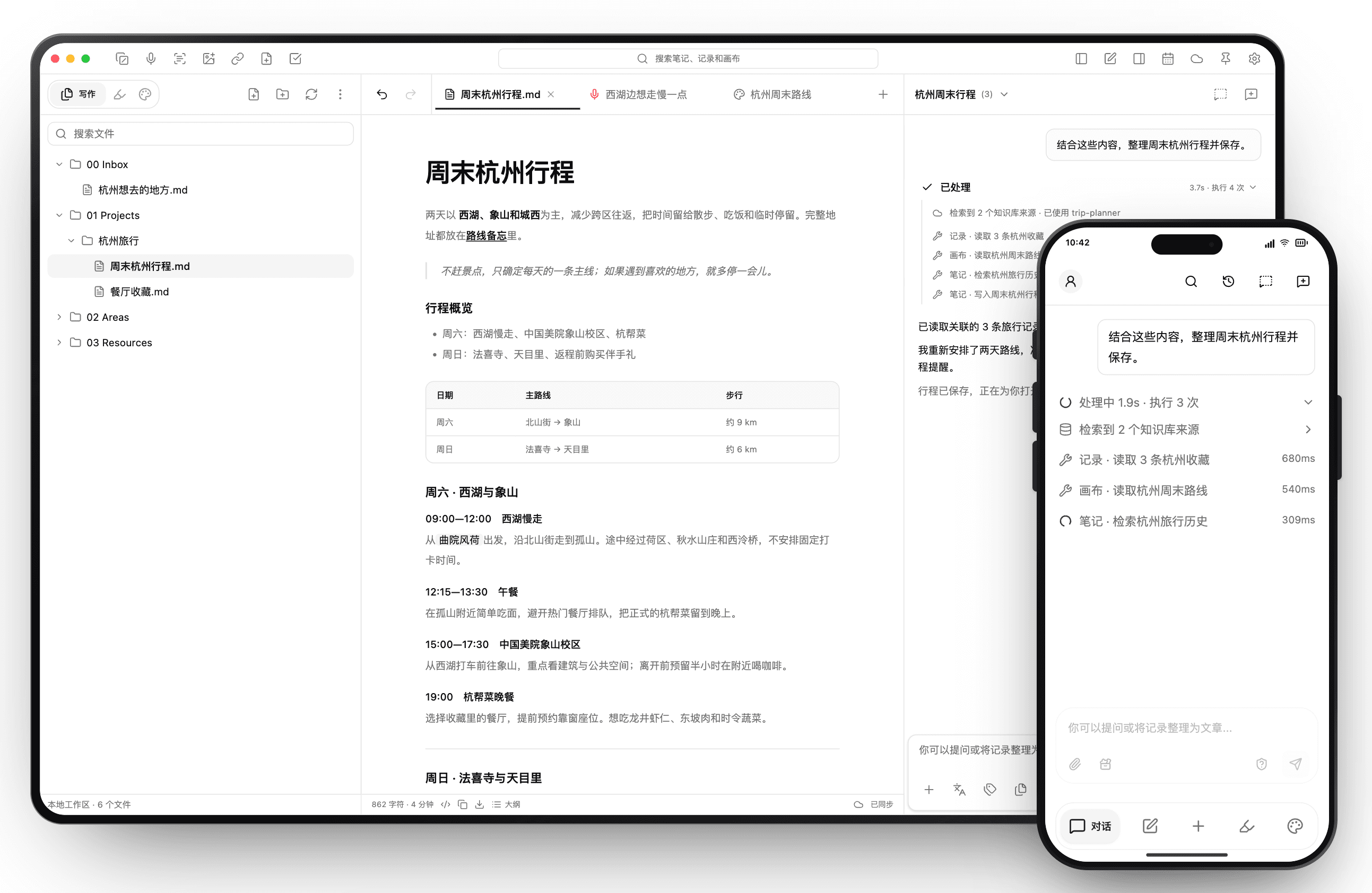
Dinner plan
09:00–12:00 West Lake walk
Start at Quyuan Garden and follow Beishan Road to Solitary Hill.
12:15–13:30 Lunch
Grab noodles near Solitary Hill and skip the busiest queues.
15:00–17:30 Xiangshan campus
Explore the architecture and public spaces around the campus.
19:00 Hangzhou dinner
Use the saved restaurant and reserve a window table.
Sunday · Faxi Temple and Tianmuli
Weekend in Hangzhou
Two relaxed days around West Lake, Xiangshan, and the west side.
Itinerary overview
- Saturday: West Lake and Xiangshan
- Sunday: Faxi Temple and Tianmuli
Dinner plan
Saturday · West Lake and Xiangshan
09:00–12:00 West Lake walk
12:15–13:30 Lunch
15:00–17:30 Xiangshan campus
19:00 Hangzhou dinner
Sunday · Faxi Temple and Tianmuli
How it compares with other sync options
NoteGen Server goes beyond moving Markdown files by adding realtime sync and collaboration designed for NoteGen. This compares built-in NoteGen experiences without extra third-party tools.
| Capability | NoteGen Server | OneDrive / iCloud | Git | S3 / WebDAV |
|---|---|---|---|---|
| Realtime team collaboration | Supported | Not supported | Not supported | Not supported |
| Multi-device sync | Supported | Supported | Partial | Supported |
| Version history | Supported | Partial | Supported | Partial |
| Fully self-hostable | Supported | Not supported | Supported | Supported |
| Advanced end-to-end encryption | Supported | Not supported | Not supported | Not supported |
What the default deployment includes
The single-server Compose topology stays small for personal instances and experiments.